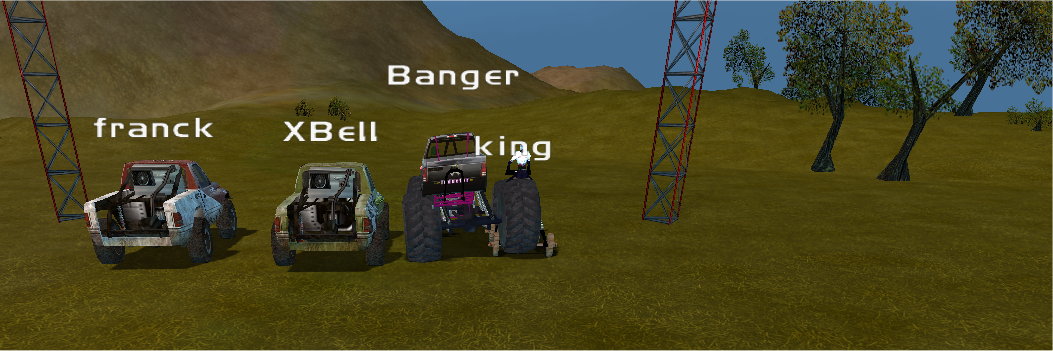
About the 1nsane Teamspeak channel:
Currently, the players of 1nsane gather on Teamspeak server called “TS.VONCLAN.NET”
We usually meet there around 8pm 00GMT on tuesdays and thursdays(see world clock)
I am often idle in there, and reply whenever I can.
Download:
Please download Teamspeak 3 from their downloads section and install it on your computer.
Setting up Teamspeak:
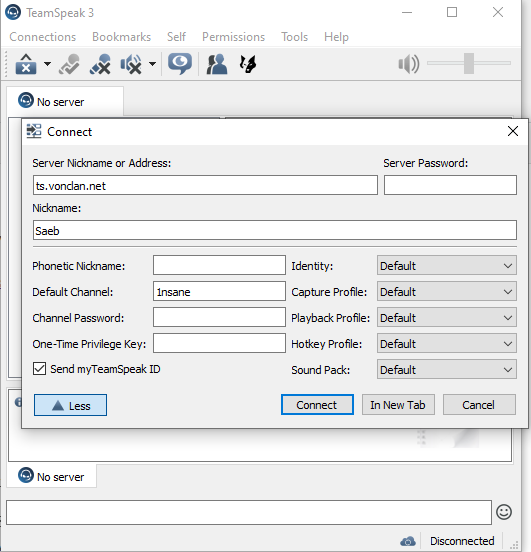
On your first initial start up for Teamspeak, no servers will show up. You need to mannually set up the TS.Vonclan.net server as such
- Click ‘Connections’ in the upper left hand corner.(or press CTRL+S)
- for Server Nickname or Address enter the following address: ‘TS.VONCLAN.NET‘
- Leave server password blank
- Select your nickname and fill the corresponding form
- (Optional) choose your default channel, type ‘1nsane’ and you will automatically be connected to that chatroom. (you don’t have to browse and click it each time.)
- Click Connect and wait a few seconds. You’re in!
After you’ve joined the server, it’s a good idea to press Bookmarks on the top panel and bookmark the current chat server you’re connected to.
That way the teamspeak client will remember the details you specified in steps 1-6 for the next time you start the client.
Next, set up your audio devices:
- Choose Tools in the top panel and options (or press ALT+P)
- Choose ‘Playback’ and set up your speaker/headphone audio
- Choose ‘Capture’ and set up your microphone. (test the equipment before broadcasting, make sure the sensetivity is not set too low so that everyone hears you breathing etc.)
- Alternatively, choose a button to capture, I use the left CTRL key on the keyboard to broadcast. I’m more used to this as a HAM radio operator, rather than the voice activation.
You’re all set up now! Happy chatting!